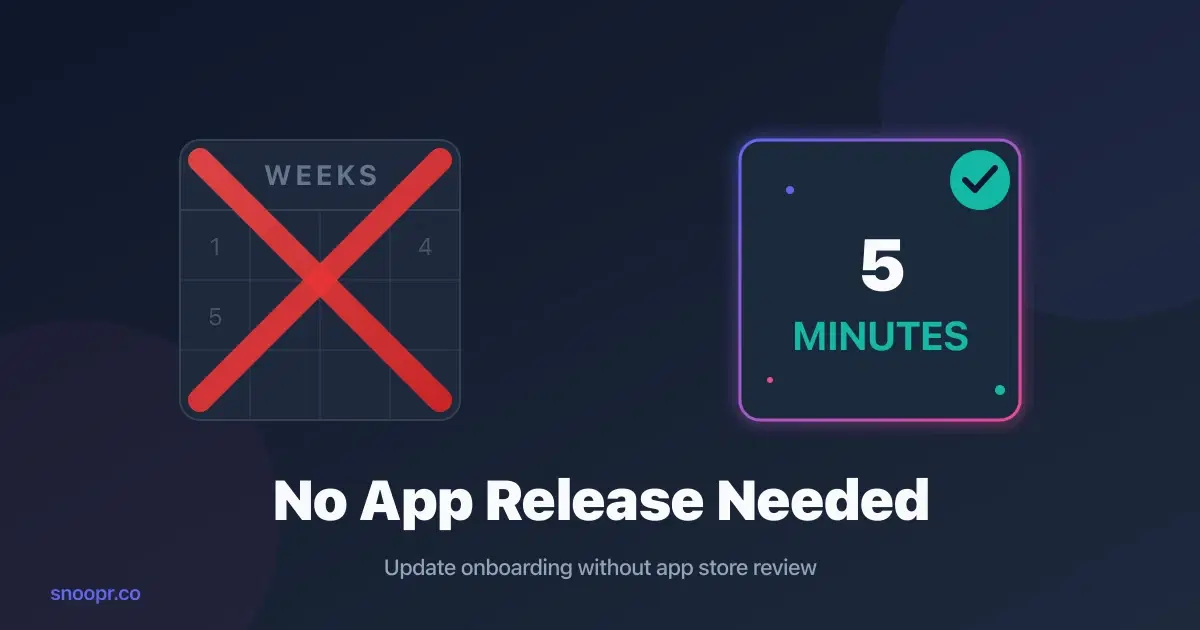
You can update mobile app onboarding without an app release by using a dynamic content delivery platform like Snoopr that separates your onboarding content from your app binary—install the SDK once, then change headlines, screens, and flows instantly through a visual editor without touching code or waiting for App Store review.
This approach eliminates the traditional mobile development bottleneck where every onboarding change requires engineering work, QA testing, and a 2-7 day app store review cycle. Product managers gain direct control over the onboarding experience, publishing changes in minutes instead of weeks.
The architecture behind this isn't new—apps like Instagram and Facebook have used dynamic content delivery for years. What's new is packaging this capability specifically for onboarding flows, making it accessible to non-technical teams through visual builders and AI content generation.
This guide walks through exactly how dynamic mobile onboarding works, the one-time setup required, and how to start updating your onboarding without app releases today.
Key Points
- Update mobile onboarding instantly by separating content from code using a dynamic delivery architecture
- The one-time setup takes ~30 minutes: install an SDK, then all future changes happen through a visual editor
- This approach lets product teams run 5-10x more onboarding experiments per year than traditional development allows
- Snoopr provides this architecture specifically for React Native apps, with AI content generation and built-in A/B testing
Why Traditional Mobile Onboarding Updates Take So Long
Before diving into the solution, you need to understand why mobile onboarding changes are so painful in the first place.
When you want to change a single headline in your mobile app's onboarding flow using traditional development, here's what actually happens:
| Step | Timeline |
|---|---|
| Product manager creates spec | 1-2 days |
| Engineering implements on iOS | 4-8 hours (with AI assistants) |
| Engineering implements on Android | 4-8 hours |
| QA tests across devices | 1 day |
| Submit to App Store and Google Play | Same day |
| Wait for Apple review | 2-7 days |
| Wait for users to update | 1-2 weeks |
Total: 2-4 weeks to change a headline.
The bottleneck isn't coding speed—AI assistants like GitHub Copilot have made implementation faster than ever. The bottleneck is architectural: mobile apps are compiled binaries that must be resubmitted to app stores for every change.
Snoopr exists specifically to eliminate this bottleneck for onboarding content. By separating what users see from the underlying app code, changes become instant.
How Dynamic Content Delivery Works (The Architecture)
The key insight that makes instant onboarding updates possible is separating content from code.
Traditional mobile apps work like this:
1. Onboarding screens are hardcoded into Swift (iOS) or Kotlin (Android)
2. The app is compiled into a binary file
3. That binary is submitted to app stores
4. Users download and install the binary
5. Every change requires repeating steps 1-4
Dynamic content delivery works differently:
1. A lightweight SDK (rendering engine) is compiled into your app—once
2. Onboarding content lives on a server, managed through a visual editor
3. When users open your app, the SDK fetches the latest content and renders it
4. Changes to content go live immediately—no code, no app store, no waiting
Think of it like a web browser: the browser (SDK) is installed once, but the websites (content) it displays can change anytime.
Snoopr's SDK is ~2MB and takes about 30 minutes to integrate into a React Native app. After that initial setup, product teams control everything through a Figma-like visual builder.
Step 1: Install the SDK (One-Time Setup)
The only engineering work required is a one-time SDK integration. Here's what that looks like with Snoopr:
For React Native apps:
npm install @snoopr/react-native-sdk
Then initialize in your app entry point:
```javascript
import { SnooprProvider } from '@snoopr/react-native-sdk';
function App() {
return (
);
}
```
Timeline: 10-30 minutes of engineering time.
What happens next: Submit this version to the App Store and Google Play. Once approved, you never need engineering involvement for onboarding changes again.
The Snoopr SDK handles:
- Fetching the latest onboarding configuration from CDN
- Rendering screens with native performance
- Caching content for offline support
- Tracking engagement analytics
- Managing A/B test assignments
Step 2: Build Your Onboarding Flow (Visual Editor)
With the SDK installed, product managers and designers take over.
Snoopr's visual builder works like Figma for mobile onboarding:
1. Open the canvas — Start with a blank screen or use AI to generate a first draft
2. Drag elements — Text, images, buttons, progress indicators, and 20+ mobile-native components
3. Position precisely — Pixel-perfect control with real-time device preview
4. Connect screens — Define the flow sequence and navigation logic
5. Preview on device — See exactly what users will experience
No CSS. No code. No compromises.
The element library includes components specifically designed for mobile onboarding:
- Bubble pickers for preference selection
- Card selects for visual choices
- Image grids for multi-select
- Progress indicators and checklists
- Star ratings and toggle lists
These aren't web components crammed into mobile—they're native elements designed for touch interactions.
Snoopr's AI can also generate complete onboarding flows from a text description. Describe your app, select features to highlight, and get a full draft—screens, headlines, body copy, CTAs—in about 60 seconds.
Step 3: Publish Instantly (No App Store Required)
This is where dynamic content delivery changes everything.
When you click "Publish" in Snoopr:
1. Your onboarding configuration uploads to a global CDN
2. The SDK in your users' apps fetches the new configuration
3. Users see the updated onboarding on their next app open
Timeline: Minutes, not weeks.
No code change. No app store submission. No 2-7 day review wait. No gradual user update rollout.
The change is live for everyone immediately.
This speed transforms how you think about onboarding optimization. Instead of batching changes into quarterly updates, you can:
- Fix a confusing headline the moment you notice drop-off
- Test a new value proposition based on morning user feedback by afternoon
- Run multiple experiments simultaneously instead of sequentially
Snoopr customers report going from idea to live change in under an hour—compared to 3+ weeks with traditional development.
Step 4: A/B Test Without Engineering
The ability to publish instantly unlocks rapid experimentation.
Traditional mobile A/B testing requires:
- Engineering to implement each variant
- App store review for each version
- Weeks between test iterations
- Statistical analysis after data collection
With Snoopr's built-in experimentation:
1. Create variants — Duplicate your flow and modify headlines, screens, or sequences
2. Set traffic allocation — Split users 50/50, 70/30, or any ratio
3. Define success metrics — Completion rate, time-to-value, feature activation
4. Launch immediately — Test goes live with one click
5. Monitor results — Real-time dashboard with statistical significance calculation
You can run tests that would have taken months in a matter of days.
The math that matters:
| Approach | Experiments/Year | Meaningful Wins (at 20% success rate) |
|---|---|---|
| Traditional development | ~17 | ~3.4 |
| With Snoopr | 100+ | 20+ |
Teams using dynamic onboarding platforms learn 5-10x faster than those stuck in traditional development cycles. Over a year, that compounds into a significant competitive advantage.
What You Can Change Without an App Release
Not everything in your app can be updated dynamically—but onboarding content absolutely can.
Changes you CAN make instantly with Snoopr:
| Element | Examples |
|---|---|
| Text content | Headlines, body copy, CTAs, button labels |
| Images | Hero images, icons, illustrations, logos |
| Screen sequence | Reorder screens, add/remove steps |
| Layout | Element positioning, spacing, sizing |
| Styling | Colors, fonts, button styles (via themes) |
| Targeting | Who sees which flow, when, based on segments |
| A/B tests | Any combination of the above |
Changes that still require app releases:
| Element | Why |
|---|---|
| Core app functionality | Not onboarding-related |
| New SDK features | SDK itself is compiled into app |
| Deep native integrations | Requires code changes |
| Permission request triggers | OS-level functionality |
The principle: anything within the SDK's rendering capabilities can change instantly. Snoopr's SDK is designed to handle the full range of onboarding use cases, so limitations are rare in practice.
Real-World Example: Same-Day Onboarding Optimization
Here's what this looks like in practice.
Scenario: It's Tuesday morning. Your analytics show 45% drop-off at onboarding screen 2. The headline reads "Create Your Profile" and you suspect users don't see the value yet.
Traditional approach:
- Tuesday: Create spec, request engineering time
- Wednesday-Thursday: Wait for sprint planning
- Friday: Engineer implements change
- Monday: QA testing
- Tuesday: Submit to app stores
- Following week: Wait for review, then user updates
- Result: 2+ weeks to test one hypothesis
With Snoopr:
- Tuesday 9am: Open visual builder, change headline to "Start Your First Workout in 2 Minutes"
- Tuesday 9:15am: Create A/B test with original vs. new headline
- Tuesday 9:20am: Publish test
- Tuesday 9:21am: Test is live for all users
- Wednesday: Analyze results—new headline shows 23% lower drop-off
- Wednesday afternoon: Make winner the default
- Result: Validated and shipped in 24 hours
The second approach doesn't just save time. It changes what's possible. You can follow hunches. Test small variations. Respond to user feedback immediately. Build a culture of rapid iteration.
Comparing Approaches: Traditional vs. Dynamic Onboarding
| Factor | Traditional Development | Dynamic with Snoopr |
|---|---|---|
| Time to change headline | 2-4 weeks | 5 minutes |
| Engineering required | Every change | One-time SDK install |
| App store review | Every change | Never (after initial install) |
| A/B testing | Complex, slow | Built-in, instant |
| Experiments per year | ~17 | 100+ |
| Who controls onboarding | Engineering | Product/Marketing |
| Cost per change | Engineering hours + opportunity cost | $0 marginal cost |
The difference isn't incremental. It's architectural. Dynamic content delivery fundamentally changes who can update onboarding and how fast they can move.
Getting Started: Your First Week with Dynamic Onboarding
Here's a realistic timeline for implementing dynamic mobile onboarding with Snoopr:
Day 1-2: Technical Integration
- Engineer installs SDK (10-30 minutes of actual work)
- QA verifies SDK integration
- Submit updated app to app stores
- Meanwhile: Product team gets trained on the visual builder
Day 3-5: Waiting for App Store Approval
- Use this time to design your first dynamic flow in Snoopr
- Replicate your current onboarding or create an improved version
- Set up your first A/B test (current vs. new)
Day 6-7: Launch
- App store approval received
- Publish your dynamic onboarding
- First A/B test goes live
- Monitor initial data
Week 2+: Rapid Iteration
- Analyze first test results
- Launch second experiment based on learnings
- Begin testing at a pace previously impossible
By day 30, you'll have run more onboarding experiments than most teams run in a year.
Common Concerns Addressed
"Will this affect app performance?"
Snoopr's SDK is ~2MB and optimized for mobile performance. Content is cached locally after first fetch, so subsequent loads are instantaneous. The performance impact is negligible—often better than hardcoded screens because the SDK is optimized specifically for onboarding rendering.
"What if the server is down?"
Quality platforms implement offline fallbacks. If Snoopr's SDK can't fetch updated content, it displays the last cached version. Users always see onboarding—just your most recent published version rather than a potential update.
"Is this secure?"
Content delivery happens over encrypted connections. The SDK validates content signatures to prevent tampering. This security model is identical to how apps fetch any dynamic content (images, configurations, feature flags). It's well-established and battle-tested.
"Will Apple reject this?"
No. Dynamic content delivery for UI elements is explicitly allowed and widely used. Instagram, Facebook, Airbnb, and countless other apps update UI without app releases. The key is that you're changing content, not code functionality. Snoopr operates well within App Store guidelines.
"What about Android?"
Snoopr's React Native SDK works on both iOS and Android from a single codebase. Build once, publish everywhere—instantly.
FAQ
Can you update mobile app onboarding without code?
Yes, you can update mobile app onboarding without code by using a dynamic content delivery platform like Snoopr. After a one-time SDK integration (10-30 minutes of engineering work), all future onboarding changes happen through a visual editor—no code required. Product managers can change headlines, reorder screens, update images, and run A/B tests without any engineering involvement. The changes publish instantly without app store review.
How do no-code mobile onboarding tools work?
No-code mobile onboarding tools work by separating onboarding content from the app binary. A lightweight SDK (rendering engine) is installed in your app once. This SDK fetches onboarding content from a server and renders it natively. When you update content through the visual editor, the SDK fetches the new version—no code change, no app store submission required. Snoopr uses this architecture specifically for React Native apps, with a Figma-like visual builder and AI content generation.
What is dynamic content delivery for mobile apps?
Dynamic content delivery is an architecture pattern where content lives on a server rather than being compiled into the app binary. The app contains a rendering engine that fetches and displays whatever content the server provides. This allows content updates without app releases. Major apps like Instagram and Facebook use this pattern extensively. Snoopr packages this architecture specifically for mobile onboarding, making it accessible to non-technical teams through visual editing tools.
How long does it take to update mobile onboarding with Snoopr?
With Snoopr, onboarding updates take minutes instead of weeks. After the one-time SDK installation, changes happen through a visual builder and publish instantly—no code, no app store review, no waiting for users to update. A headline change that would take 2-4 weeks with traditional development takes about 5 minutes with Snoopr. A/B tests launch immediately. Most teams go from idea to live change in under an hour.
Does updating onboarding without an app release violate App Store guidelines?
No, dynamic content delivery for UI elements is explicitly allowed by both Apple and Google. The App Store guidelines prohibit downloading executable code, but content (text, images, layouts) can be fetched dynamically. This is how virtually all major apps operate—updating feeds, configurations, and UI elements without app releases. Snoopr operates well within these guidelines, delivering content rather than code.
What mobile platforms support dynamic onboarding updates?
Snoopr currently supports React Native, which covers both iOS and Android from a single codebase. The SDK integrates in about 10-30 minutes and enables instant publishing to both platforms simultaneously. For teams using native iOS (Swift) or Android (Kotlin) development, or other cross-platform frameworks like Flutter, check Snoopr's documentation for current platform support.
Start Updating Onboarding Without App Releases
The traditional mobile development cycle—where every onboarding change requires engineering, QA, and app store review—is no longer the only option.
Dynamic content delivery lets product teams control onboarding directly. Change a headline in 5 minutes. Run A/B tests without engineering. Publish instantly without waiting weeks for approval.
Snoopr makes this architecture accessible:
- Visual canvas builder — Figma-like design without code
- AI content generation — Complete flows in 60 seconds
- Instant publishing — No app store review required
- Built-in A/B testing — Experiment at 10x the speed
- React Native SDK — 10-30 minute integration
Start Free Trial → — 30 days, full access, no credit card required
Book a Demo → — See the visual builder and A/B testing in action
Developer Docs → — React Native SDK integration guide
Your competitors are iterating faster. The question is whether your onboarding will keep up.