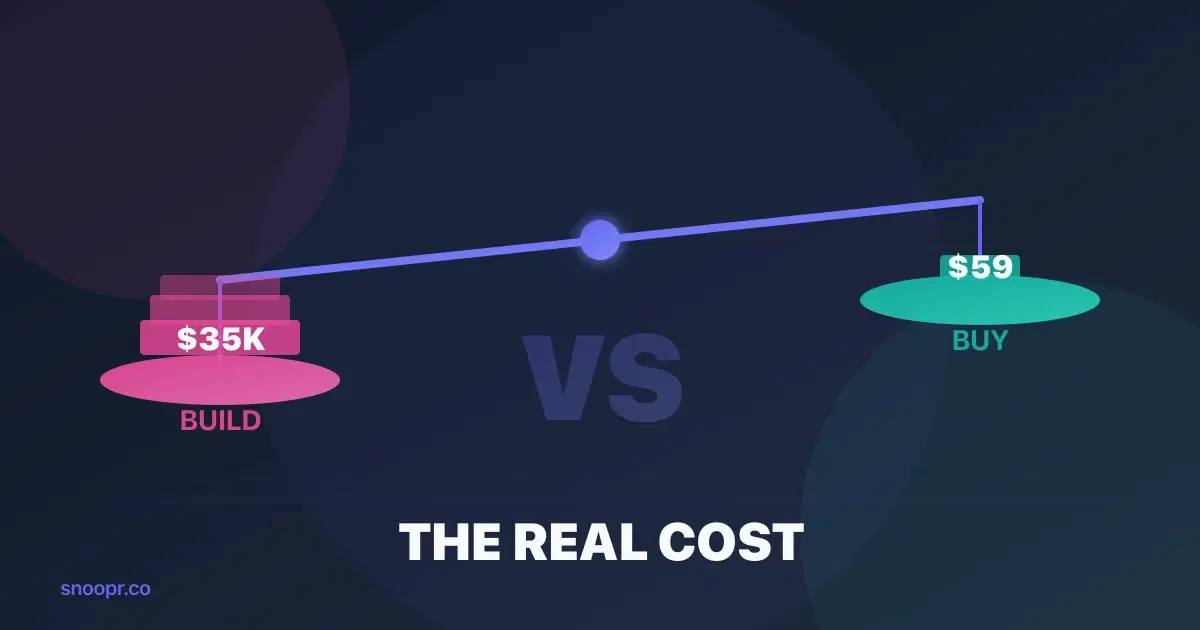
The real cost of building mobile onboarding in-house is $17,000-$35,000 for the initial build—or $5,200-$10,300 with AI-assisted development—plus $2,500-$10,000 per quarter in ongoing iteration costs. A no-code platform like Snoopr costs $59-299/month and eliminates the engineering dependency entirely, typically paying for itself within the first optimization cycle.
But here's what makes this decision harder in 2026: AI coding assistants have changed the math. Your engineers are shipping faster than ever. Cursor, Copilot, and Claude Code have made coding up to 100x faster for certain tasks. So the question isn't just "build vs. buy" anymore—it's whether faster coding actually solves the onboarding bottleneck.
Spoiler: it doesn't. And this guide will show you exactly why, with a framework for calculating the true ROI of each approach.
Key Points
- Building mobile onboarding in-house costs $17,000-$35,000 traditionally, or $5,200-$10,300 with AI-assisted development—but iteration speed stays the same
- The bottleneck isn't coding speed; it's coordination, prioritization, and release cycles that AI tools don't touch
- No-code platforms like Snoopr break even after 1 optimization cycle and enable 3-20x more experiments per year through parallel testing
- The hidden cost of building: every onboarding change competes with feature development for engineering time
The Build vs. Buy Framework: Four Cost Categories
Most teams make this decision based on the initial build cost alone. That's a mistake. The true cost of mobile onboarding spans four categories, and the ongoing costs dwarf the upfront investment.
1. Initial Development Cost
Building in-house:
| Component | Traditional | AI-Assisted (100x faster coding) | What AI Touches |
|---|---|---|---|
| UI screens (5-7 screens) | 20-40 hrs / $3,000-$6,000 | 3-6 hrs / $450-$900 | Coding only (~85% reduction) |
| Navigation & state management | 15-25 hrs / $2,250-$3,750 | 2-4 hrs / $300-$600 | Coding only (~85% reduction) |
| Analytics integration | 10-20 hrs / $1,500-$3,000 | 2-4 hrs / $300-$600 | Coding only (~80% reduction) |
| A/B testing infrastructure | 20-40 hrs / $3,000-$6,000 | 4-8 hrs / $600-$1,200 | Coding only (~80% reduction) |
| Backend/API work | 15-30 hrs / $2,250-$4,500 | 3-6 hrs / $450-$900 | Coding only (~80% reduction) |
| QA & testing* | 15-25 hrs / $2,250-$3,750 | 15-25 hrs / $2,250-$3,750 | Nothing |
| Total | 95-180 hrs / $14,250-$27,000 | 29-53 hrs / $4,350-$7,950 |
QA & testing hours remain unchanged—AI doesn't speed up manual testing, regression cycles, or cross-device verification.
Why isn't AI-assisted 100x faster overall? Because "coding" is only part of each task. Every component still requires:
- Understanding requirements and edge cases
- Architecture decisions and code review
- Integration testing and debugging
- Coordinating with design and product
Add 20-30% for project management overhead (completely unchanged by AI), and you're looking at:
- Traditional: $17,000-$35,000
- AI-Assisted: $5,200-$10,300
AI coding assistants cut costs by 60-70%. Impressive. But notice what didn't change: QA time, project management overhead, and the coordination cost of getting this work prioritized in the first place. Those non-coding hours represent the majority of calendar time.
Using Snoopr:
| Component | Time | Cost |
|---|---|---|
| SDK installation | 30 min | $0 (engineering) |
| First onboarding flow | 1-2 hrs | $0 (product/marketing) |
| Platform subscription | — | $59-$299/month |
| Total (Year 1) | 2 hrs eng time | $708-$3,588 |
The initial cost difference is 5-30x. But that's just the beginning.
2. Iteration Cost (The Hidden Multiplier)
Here's where the build vs. buy calculation breaks down for most teams: onboarding is never done.
You'll want to change headlines when messaging evolves. You'll need to reorder screens based on drop-off data. You'll test different CTAs, add new features to highlight, personalize flows for user segments. A healthy onboarding practice means 2-4 meaningful iterations per quarter.
Cost per iteration (in-house):
| Task | Traditional | AI-Assisted (100x) | Reducible by AI? |
|---|---|---|---|
| Spec & design review | 2-4 hrs / $300-$600 | 2-4 hrs / $300-$600 | No |
| Code changes | 4-12 hrs / $600-$1,800 | 0.5-1 hr / $75-$150 | Yes (~90% reduction) |
| QA testing | 2-4 hrs / $300-$600 | 2-4 hrs / $300-$600 | No |
| App store submission | 1-2 hrs / $150-$300 | 1-2 hrs / $150-$300 | No |
| App store review wait | 2-7 days | 2-7 days | No |
| Total per iteration | 9-22 hrs / $1,350-$3,300 | 5.5-11 hrs / $825-$1,650 | ~50% cost savings |
At 3 iterations per quarter:
- Traditional: $4,050-$9,900 per quarter
- AI-Assisted: $2,475-$4,950 per quarter
AI cuts iteration costs by ~50%. But here's the catch: calendar time barely changes. You still wait 2-7 days for app store review. You still need QA cycles. You still need to get the work prioritized. The code changes that now take 30 minutes instead of 8 hours? That was never the bottleneck.
Cost per iteration (Snoopr):
| Task | Time | Cost |
|---|---|---|
| Make changes in visual editor | 15-30 min | $0 |
| Preview on device | 5 min | $0 |
| Publish | 1 click | $0 |
| Total per iteration | 20-35 min | $0 (included) |
No engineering involvement. No app store review. Changes live in minutes, not weeks.
3. Opportunity Cost (What Engineering Isn't Building)
This is the cost most teams ignore—and it's often the largest.
Every hour your engineering team spends on onboarding tweaks is an hour they're not spending on:
- Core product features that drive retention
- Infrastructure improvements that reduce technical debt
- Revenue-generating integrations
- Bug fixes that affect paying customers
At an early-stage startup, engineering time is your scarcest resource. When a PM requests an onboarding change, they're not just asking for 10 hours of work—they're asking to push something else down the priority queue.
Snoopr eliminates this tradeoff. Product managers own the entire onboarding lifecycle without engineering dependencies. Your developers stay focused on what only they can build.
4. Speed-to-Learning Cost
The final cost category is the hardest to quantify but often the most impactful: how fast can you learn what works?
In-house timeline for one A/B test:
- Week 1: Spec the variants, get engineering buy-in
- Week 2-3: Build and QA both variants
- Week 4: Submit to app stores, wait for approval
- Week 5-8: Run the test (need statistical significance)
- Week 9: Analyze results, decide on winner
- Week 10-12: Build the winning variant into production
Total: 10-12 weeks for one learning cycle.
Snoopr timeline:
- Day 1: Build variants in the visual editor
- Day 1: Publish A/B test (or multiple tests in parallel)
- Week 2-4: Run the test
- Week 4: Winner automatically serves to 100%
Total: 4 weeks for one learning cycle—but you can run up to 20 experiments in parallel.
Snoopr isn't just a content delivery tool—it's an experimentation platform. If you have enough traffic to reach statistical significance, you can test headlines, screen order, CTAs, and imagery simultaneously across different user segments. One learning cycle becomes 5, 10, or 20 learnings.
Annual learning capacity:
- In-house: 4-5 sequential experiments per year
- Snoopr (sequential): 12-15 experiments per year (3x improvement)
- Snoopr (parallel): 50-100+ experiments per year (if traffic supports it)
That's not a 3x difference in iteration velocity. For teams with sufficient traffic, it's a 10-20x difference. And in onboarding optimization, more experiments = faster path to the flow that actually converts.
"But Our Engineers Use AI Now"
Yes, AI coding assistants have changed software development. Teams using Cursor, Copilot, or Claude Code report coding speeds up to 100x faster for certain tasks. This is real, measurable progress.
But it doesn't solve the onboarding bottleneck. Here's why:
What AI coding assistants speed up:
- Writing boilerplate code
- Generating UI components
- Debugging syntax errors
- Writing tests
- Documentation
What AI coding assistants don't touch:
- Sprint planning and prioritization
- Cross-team coordination
- Code review processes
- QA cycles and regression testing
- App store review (still 2-7 days)
- A/B test infrastructure decisions
The bottleneck in mobile onboarding was never typing speed. It's the organizational overhead that surrounds every code change. AI made the smallest part of the process faster while leaving the actual constraints unchanged.
A PM still has to get onboarding work prioritized against feature requests. Engineers still need to context-switch from their primary projects. QA still needs to regression test. Apple and Google still take days to review submissions.
Snoopr doesn't make these processes faster—it eliminates them entirely by moving onboarding outside the code-deploy-review cycle.
The ROI Calculation: A Real Example
Let's run the numbers for a Series A startup with a React Native app.
Assumptions:
- 5-screen onboarding flow
- 3 iterations per quarter
- Engineering rate: $150/hour fully loaded
- Current activation rate: 25%
Year 1: Build In-House (Traditional vs. AI-Assisted)
| Cost Category | Traditional | AI-Assisted (100x faster coding) |
|---|---|---|
| Initial build | 140 hrs × $150 = $21,000 | 41 hrs × $150 = $6,150 |
| Quarterly iterations | 3 × 4 × 15 hrs × $150 = $27,000 | 3 × 4 × 8 hrs × $150 = $14,400 |
| Total Year 1 | $48,000 | $20,550 |
AI-assisted development saves ~57%. Significant. But you still spend $20,000+ and get only 4-5 learning cycles. Why? Because the calendar time for each iteration barely changed—you're still waiting on prioritization, QA, and app store review.
Year 1: Snoopr Growth Plan
| Cost Category | Calculation | Total |
|---|---|---|
| Platform (annual) | $149 × 12 | $1,788 |
| SDK installation | 1 hr × $150 | $150 |
| Total Year 1 | $1,938 |
Plus: 12+ learning cycles, zero engineering dependency, instant publishing.
ROI comparison:
- vs. Traditional: 25x cost savings
- vs. AI-Assisted: 11x cost savings
Even against a fully AI-augmented engineering team with 100x faster coding, Snoopr delivers 11x better cost efficiency—and 3-20x more learning cycles (depending on traffic). The cost gap narrowed, but the experimentation gap widened.
But the real ROI isn't in cost savings—it's in what faster iteration enables. If Snoopr helps you improve activation from 25% to 35% (achievable with 3x more experiments), the revenue impact dwarfs the platform cost.
When Building In-House Makes Sense
To be fair, there are scenarios where building in-house is the right call:
1. Deeply custom interactions: If your onboarding requires hardware integrations, AR experiences, or interactions that no platform supports, you'll need custom code.
2. Regulatory requirements: Some industries require onboarding data to stay on-premise or meet specific compliance standards.
For everyone else—especially early-stage startups where engineering bandwidth is precious—the build vs. buy math strongly favors buying.
Making the Decision: A Checklist
Use this checklist to determine your best path:
Choose Snoopr (or similar no-code platform) if:
- [ ] Your engineering team is already stretched thin
- [ ] You want to iterate on onboarding faster than once per month
- [ ] Product/growth owns onboarding, not engineering
- [ ] You're using React Native (Snoopr's primary SDK)
- [ ] You value speed-to-learning over custom control
- [ ] Your onboarding is primarily educational/value-focused screens
Choose building in-house if:
- [ ] Your onboarding requires deep native integrations (AR, hardware, etc.)
- [ ] Regulatory requirements mandate on-premise solutions
Getting Started with Snoopr
If the math makes sense for your team, here's how to get started:
1. Install the SDK (30 minutes): Add the Snoopr React Native SDK to your app. One-time engineering task.
2. Create your first flow (1-2 hours): Use the visual canvas editor to build your onboarding screens. No code required.
3. Publish instantly: Click publish. Your onboarding is live—no app store review needed.
4. Iterate freely: Change headlines, reorder screens, run A/B tests. Every change publishes in seconds.
The platform includes AI-powered content generation that can draft complete onboarding flows from a description of your app. Describe what you want, select the features to highlight, and Snoopr generates screens, headlines, and CTAs in seconds.
FAQ
Is mobile app onboarding worth the development effort?
Yes, but not the way most teams do it. Onboarding directly impacts activation, which impacts retention, which impacts revenue. But building onboarding in-house means every improvement competes for engineering time. The worth comes from the outcome (better activation), not the effort. Snoopr delivers the outcome without the engineering effort.
Can onboarding be done without engineering effort?
Yes—after a one-time SDK installation. No-code platforms like Snoopr separate onboarding content from your app binary. Install the SDK once (30 minutes of engineering time), then product managers create, edit, and publish onboarding flows through a visual editor. No code changes, no app store reviews, no engineering queues.
Should onboarding be hard-coded or configurable?
Configurable, unless you never plan to change it. Hard-coded onboarding means every change requires engineering work, QA, and an app store review cycle. Configurable onboarding (via platforms like Snoopr) lets you iterate in minutes. Given that best-in-class teams run 10+ onboarding experiments per year, configurable is almost always the right choice.
How much does mobile onboarding development cost?
Traditional development: $17,000-$35,000 initial build, plus $4,000-$10,000 per quarter for iterations. AI-assisted development (100x faster coding): $5,200-$10,300 initial build, plus $2,500-$5,000 per quarter. AI coding assistants can reduce costs by 50-70%—but they don't touch coordination overhead, QA cycles, or app store review delays. Calendar time for each iteration barely changes because you're still waiting on prioritization, testing, and Apple/Google review.
How long does it take to build mobile onboarding?
4-8 weeks for a production-ready flow built in-house. This includes design, development, QA, and app store approval. Each subsequent iteration takes 2-4 weeks. With Snoopr, the initial flow takes 1-2 hours, and iterations publish in minutes.
Ready to stop competing with feature development for onboarding resources? Start with Snoopr's free trial and publish your first flow today—no engineering required.