What Is a No-Code App Onboarding Builder? How It Works and Why Teams Stop Hard-Coding Flows
Key Points
- A no-code app onboarding builder lets product teams create, edit, and publish mobile onboarding flows without writing code or waiting for app store reviews
- These tools work by rendering onboarding screens on top of your app via a lightweight SDK, controlled from a remote dashboard
- Teams that switch from hard-coded onboarding to a no-code builder cut onboarding iteration cycles from weeks to hours — and reclaim engineering bandwidth for core product work
Main Content
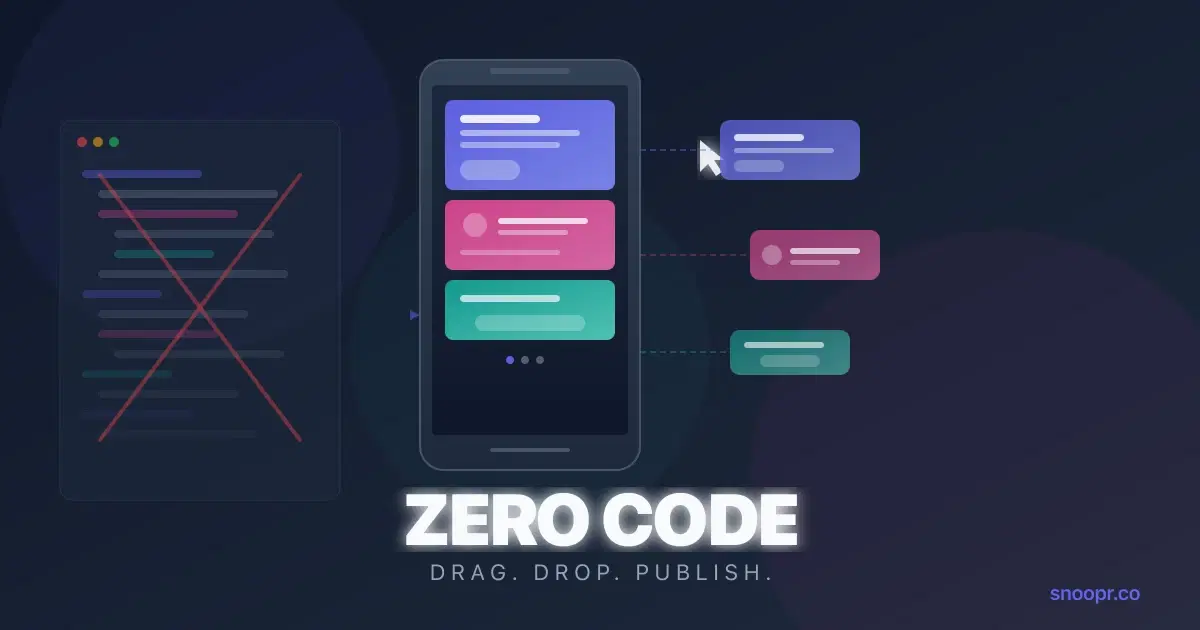
A no-code app onboarding builder is a platform that lets you design, deploy, and update mobile onboarding experiences without touching your codebase.
Instead of hard-coding onboarding screens into your app and submitting every change through app store review, you install an SDK once. After that, your product team controls everything — screen layouts, copy, images, button logic, flow sequencing — from a visual dashboard. Changes go live instantly, no release required.
Think of it the way web teams already work. A marketing team doesn't ask engineers to rewrite HTML every time they update a landing page. They use a CMS. A no-code onboarding builder does the same thing, but for mobile onboarding flows.
And here's the part that catches most teams off guard.
The biggest win isn't speed. It's what happens to your team dynamics when product managers stop competing with engineers for sprint capacity just to change a welcome screen headline.
How a No-Code Onboarding Builder Actually Works
The architecture is simpler than you'd expect. Here's what happens under the hood:
1. SDK installation (one-time, ~30 minutes)
You add a lightweight SDK to your iOS, Android, or React Native app. This is the only step that requires engineering. The SDK creates a rendering layer on top of your existing app UI — it doesn't modify your app's native code or interfere with its logic.
2. Visual editor (ongoing, no code)
From a web-based dashboard, your product team designs onboarding screens using a drag-and-drop canvas. Most builders support:
- Text, images, buttons, and shapes
- Progress indicators and navigation logic
- Multi-screen flow sequencing
- Brand theming (colors, fonts, button styles)
- Mobile device preview in real time
3. Publishing (instant, no app store)
When you hit "publish," the SDK fetches the updated flow configuration from the cloud. Your app displays the new onboarding experience immediately. No binary update. No app store submission. No 24-48 hour review window.
4. Iteration (continuous)
Because publishing is instant, you can A/B test headlines, reorder screens, swap images, or redesign entire flows — and measure the impact the same day.
Platforms like Snoopr take this architecture further with AI-powered story generation. You describe your app in a chat interface, select the features you want to highlight, and the platform generates complete onboarding flows — headlines, body copy, CTAs — in seconds. You still have full control to edit, but the starting point is already 80% there.
Should Onboarding Be Hard-Coded or Configurable?
This is the question that forces most teams to rethink their approach.
Hard-coded onboarding means your onboarding screens live inside your app's source code. Every change — a new headline, a reordered screen, a different CTA — requires a code change, a PR review, a build, QA, and an app store submission.
Here's what that timeline looks like in practice:
| Step | Hard-Coded | No-Code Builder |
|---|---|---|
| Design new flow | 2-3 days | 2-3 hours |
| Engineering implementation | 3-5 days | 0 days |
| QA and testing | 1-2 days | Same-day preview |
| App store review | 1-3 days | Instant |
| Total time to live | 7-13 days | Same day |
The math gets worse when you factor in opportunity cost. Every sprint that engineering spends on onboarding changes is a sprint not spent on core product features. For early-stage startups where engineering bandwidth is the scarcest resource, this tradeoff is painful.
Configurable onboarding — where flows are managed remotely and rendered by an SDK — eliminates this entire dependency chain. Product managers make changes in a visual editor. Engineers stay focused on the product. Everyone ships faster.
With a tool like Snoopr, configurability goes even further: centralized brand theming means you update a color palette or font stack once, and every connected onboarding flow updates instantly. No hunting through code for hardcoded hex values.
Can Onboarding Really Be Done Without Engineering Effort?
Almost entirely — with one caveat.
The initial SDK installation requires engineering involvement. For most platforms, this is a 30-minute to 2-hour task. You add the SDK dependency, initialize it in your app delegate or main activity, and you're done.
After that, engineering involvement drops to zero for day-to-day onboarding work. Product managers, growth leads, or marketers can:
- Create new onboarding flows from scratch
- Edit existing flows (copy, images, layout, sequencing)
- Set targeting rules (show different flows to different user segments)
- Publish changes instantly
- Review engagement data
This is the fundamental shift. Onboarding moves from being an engineering task that happens during sprint planning to a product task that happens whenever the team has a new hypothesis to test.
For React Native and Flutter teams, this matters even more. Cross-platform apps already struggle with onboarding consistency — hard-coding flows means maintaining parallel implementations across platforms. A no-code builder renders the same flow on both iOS and Android from a single configuration, eliminating the "it looks different on Android" problem entirely. Snoopr's SDK, for instance, supports React Native natively, so cross-platform teams get parity without extra work.
What to Look for in a No-Code Onboarding Builder
Not all builders are created equal. Here's what separates the useful ones from the frustrating ones:
Visual editor quality matters more than feature count. If the editor feels clunky, your team won't use it. Look for real-time mobile preview, intuitive drag-and-drop, and the ability to design screens that actually look like your app — not generic templates that scream "third-party tool."
Publishing speed is non-negotiable. The whole point is bypassing app store delays. If the platform requires a new app build or a staged rollout process, you've just traded one bottleneck for another.
Theming and brand control prevent drift. Centralized theming (like Snoopr's theme system) ensures every onboarding flow stays on-brand automatically. Without it, you'll end up with inconsistent fonts, colors, and button styles across flows — especially as your team grows.
Cross-platform support saves double work. If you ship on both iOS and Android, make sure the builder supports both from a single flow definition. Maintaining two separate onboarding configurations defeats the purpose.
Analytics integration closes the loop. You need to know where users drop off, which screens drive completion, and how different flow variants perform. The best builders include this natively rather than requiring a separate analytics setup.
How Often Should Onboarding Be Updated?
More often than most teams think — and that's precisely why hard-coding onboarding is so problematic.
Your onboarding flow should evolve every time:
- You ship a major feature and want to highlight it
- Retention data shows a drop-off at a specific screen
- You change your positioning or value proposition
- You're running a seasonal campaign or promotion
- User research reveals a new pain point or misconception
High-performing mobile teams update their onboarding flows monthly or even weekly. But when each update requires an engineering cycle and app store review, the friction quietly kills iteration. Teams settle for "good enough" flows that slowly decay as the product evolves around them.
A no-code onboarding builder removes the friction entirely. With a platform like Snoopr, updating a headline takes 30 seconds. Swapping a screen takes 5 minutes. Redesigning an entire flow takes an afternoon. And every change is live immediately — no waiting, no app store, no ticket in the engineering backlog.
This is how the best mobile teams treat onboarding: not as a one-time build, but as a continuously optimized experience that evolves with the product.
Frequently Asked Questions
What's the difference between a no-code onboarding builder and an in-app messaging tool?
In-app messaging tools (like push notifications or modals) deliver one-off messages inside your app. A no-code onboarding builder creates structured, multi-screen flows designed specifically for first-time user experiences. The difference is scope: messaging tools say one thing; onboarding builders guide users through a complete journey. Platforms like Snoopr are built specifically for this multi-screen onboarding use case, with visual editors designed for flow creation rather than single-message delivery.
Do no-code onboarding builders affect app performance?
Modern onboarding SDKs are lightweight — typically adding less than 1-2 MB to your app bundle. The SDK renders onboarding screens as an overlay on top of your app, so it doesn't interfere with your app's native code, navigation, or performance. Snoopr's SDK, for example, is designed for minimal footprint and lazy-loads onboarding content only when needed.
Can I still hard-code parts of my onboarding and use a builder for the rest?
Yes. Most teams use a hybrid approach when they start. You might keep a complex, deeply integrated onboarding step (like account creation) in your native code, while using a no-code builder for the welcome screens, value proposition slides, and feature highlights that change frequently. Over time, teams tend to move more of their onboarding into the builder as they see the iteration speed benefits.
Is a no-code onboarding builder worth it for a small app with simple onboarding?
Yes — arguably even more so. Small teams have the least engineering bandwidth to spare. Even a "simple" 3-screen onboarding flow that's hard-coded will consume engineering time every time you need to update it. A no-code builder lets your product or marketing team own those updates directly. The ROI isn't just speed; it's engineering hours redirected to core product work.
Stop Hard-Coding Your Onboarding
If your team is still hard-coding onboarding flows and waiting on app store reviews to test a new headline, there's a faster way.
Snoopr lets you install once, then create and publish flows from a visual dashboard — no engineering required after setup.
- Visual canvas builder — Figma-like design without code
- AI content generation — Complete flows in 60 seconds
- Instant publishing — No app store review required
- Built-in A/B testing — Experiment at 10x the speed
- React Native SDK — 10-30 minute integration
Start Free Trial → — 30 days, full access, no credit card required
Book a Demo → — See the visual builder and A/B testing in action
Developer Docs → — React Native SDK integration guide
Your competitors are already iterating without code. The question is how long you'll keep waiting on app store reviews.